
Missing Alt Text, and the Images That Are Meant to Be Silent
One page we test carries eight images, and four of them have no alt attribute at all. The report flags it as images missing alt text at medium severity, and it is one of the few findings where half the fix is knowing what not to change.
An image with an empty alt is not a mistake.
It is how you tell a screen reader to skip a picture that carries no meaning, and the check treats it as correct. That distinction matters before you start editing, because the obvious cleanup, filling in every empty alt you can find, makes the page worse for the people the attribute exists for.

The two ways an image can be correct
A meaningful image is correct when its alt describes what it shows in context. A decorative image is correct when it carries an explicit empty alt, which tells assistive technology to ignore it rather than read out a filename.
The rule behind that comes from WCAG 2.1, Success Criterion 1.1.1, which asks every piece of non-text content to carry a text alternative that serves the same purpose. It carves out one exception, and the exception is the part people get wrong. Content that is purely decorative should be marked so assistive technology ignores it, and the standard counts a written description on that kind of image as a documented failure rather than a harmless extra.
What fails is the third case, an image tag with no alt attribute whatsoever. The browser and the screen reader are then left to guess, and the check counts that image against you. So the count the report gives you is not the number of images with nothing written. It is the number where the attribute is absent entirely, which is a smaller and more specific thing.
What the ratio has to reach
The check works on a ratio of compliant images to total images, and it fires below 90 percent. That is a strict bar. A page with 100 pictures and eight of them missing the attribute still earns the finding.
Severity moves at 70 percent. Above it the finding stays low, below it the report calls it medium, which is where the page in our example sits at half. The strictness is there because the count scales with the page. Four images on a small site is a short job. The same proportion across a shop with a thousand product photographs is a different piece of work.
Where the twelve points sit
Alt coverage is worth twelve points of the SEO score, one of the larger single items in that pillar. A page between 70 and 90 percent compliant keeps six of them, and below 70 percent it keeps none.
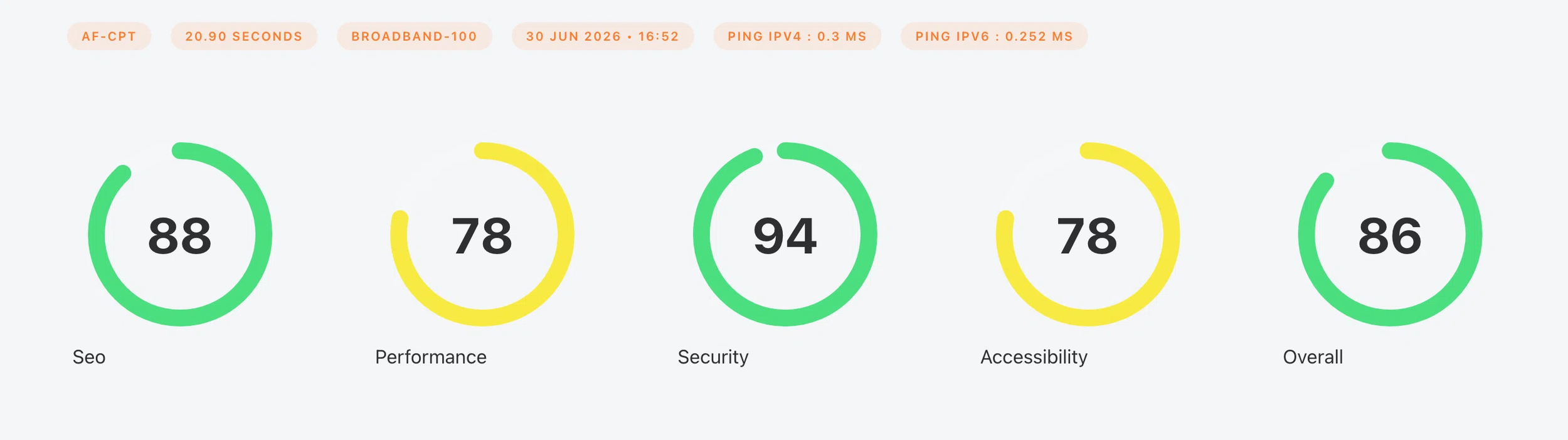
The SEO pillar carries 20 percent of the overall score, so all twelve points are worth about 2.4 on the number at the top of your report. Real, but not the reason to do this. The reason is accessibility rather than search. The report scores it as its own gauge and sits it beside the overall on the results page, and it deliberately leaves accessibility out of the overall calculation. It is an indication rather than a verdict.
Missing alt text can pull that accessibility score down alongside whatever else the automated checks find.
It works the other way too, which is why the empty alt matters. A decorative image given a written description adds noise a screen reader has to read out.
Legislation is moving this way as well. Several countries already require accessible websites, and more are writing it in, which turns a finding like this from a best practice into a question with a deadline attached.
What to write in alt text
Describe the purpose, not the pixels. A photograph of a delivery van on a page about shipping is “our delivery van at the depot” only if that detail matters. Usually “delivery van” carries the meaning and the rest is noise.
When the image is a link, the alt stands in for the link text, so name where it goes rather than what it looks like. A logo that opens the home page reads better as the company home page than as a picture of a logo. Do not open with the word image either, because a screen reader already announces that it is one. “image of a laptop” gets read out as “image, image of a laptop”.
Leave decorative images empty. Background flourishes, divider graphics, spacer images and the stock photo beside a heading with no informational job all want an explicit empty alt. Writing something for them adds words a screen reader has to read out for no reason.
Alt text is not a place for keyword lists.
On WordPress the field is in the media library, and the one to fill is the alt text rather than the title or the caption. Those are separate fields with separate jobs, and only the alt text is what the check reads.
The next test tells you
Run another test and the card prints the new count.
The drop shows up in the same place you saw the problem, so there is no need to guess whether the fix landed. A missing attribute leaves no visible trace on the page either, which is why a library built up over years can carry the gap without anyone noticing.
How those SEO points are assembled is set out in the guide to reading the report. And if you are working through the on-page items, alt text sits beside the meta description as the part of a page a search engine reads directly rather than infers.
