
Why Your Site Needs a Content-Security-Policy and How to Add One
Your Enterramon report came back with a red one. No Content-Security-Policy, high severity. It sounds like something your site is missing rather than something it is doing wrong, which is exactly right, and the fix is more interesting than most people expect. You are also far from alone. Across our last 3,255 tests, only 16 percent of sites send a Content-Security-Policy at all.
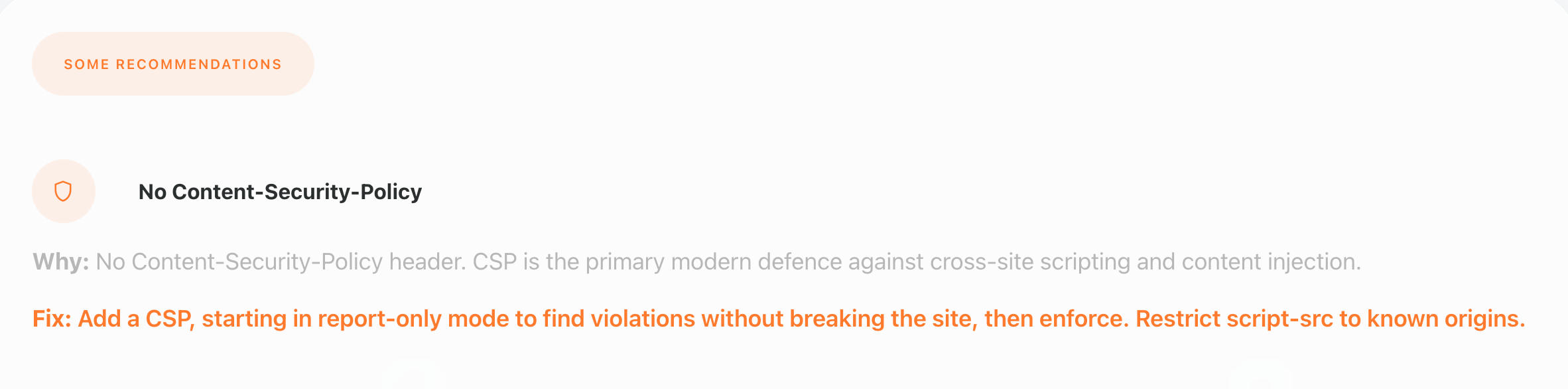
A Content-Security-Policy is a response header that tells the browser which sources are allowed to load scripts, styles, images, and other resources on your pages. No header means the browser accepts whatever the page asks for, including anything an attacker manages to inject. That is the whole point of the flag, stopping injected code from running in the first place.

The security score sits in the middle of the report’s score row, and a missing Content-Security-Policy means fourteen points of security credit never get added. Fix the header and that credit lands on the next test, which is a faster win than most of the other security flags.
A present or absent check
The scanner looks for a content-security-policy header on your HTTPS responses and flags it when none comes back. It is a binary check, present or absent, and it does not judge whether an existing policy is strong, just that one exists. A weak policy still clears the flag, so treat the green tick as a starting point rather than a finish line.
This is a hardening header, not a vulnerability. A missing CSP does not mean your site is being attacked right now. It means the browser is not being told which resources are legitimate, so when an injection does happen, there is no second line of defence waiting behind it.
Why the allowlist is the hard part
Here is the part most guides skip. A Content-Security-Policy only works if it names every legitimate source your site actually uses, and modern sites pull from a lot of them. Our own scan of enterrahost.com found fifteen script files totalling roughly 826KB across Google Tag Manager, Facebook, Microsoft Clarity, Ahrefs analytics, a cookie consent service, and several content delivery networks. Every origin has to be allowed explicitly, or the browser blocks it and something on the page quietly stops working.
Inline scripts make it harder still. Anything written directly into the HTML instead of a separate file needs either a nonce, a hash, or an unsafe-inline allowance, and the last of those defeats the purpose. Most sites carry at least a little inline JavaScript from analytics snippets, so expect to spend real time reconciling what the page needs against what the policy permits. That friction is why so many sites never get round to it.
Start in report-only mode, not enforcement
Ship the policy as Content-Security-Policy-Report-Only first. The browser sends violations to a reporting endpoint you choose without blocking anything, so you can watch what a real policy would break before you switch it on. Leave it in report-only for a few days, collect the violations, tighten the allowlist, then move to the enforcing header. Sites that skip this step usually end up disabling the policy the same afternoon they added it.
Whatever you do, do not start from a template you found online. A policy copied from another site will block half of yours, because their script origins are not yours. Build it from what your own pages load, which is exactly what the report-only traffic shows you.
You do not have to wait for the report endpoint to tell you what is wrong. Open the browser’s developer tools on the page itself and the console lists every CSP violation as it happens, with the blocked resource and the directive that stopped it. That works even when no reporting endpoint is configured yet, and it is often the fastest way to see why a specific script or inline handler is being refused, especially when the header is being added at the CDN rather than the origin.
The modern target, strict CSP with nonces
An allowlist of origins is where most people start, and it is a real improvement over no header at all. It is not where the standard ends. Modern guidance points at strict CSP instead, built on per-request nonces and the strict-dynamic keyword rather than a list of trusted hosts. Every script tag on the page carries a one-time token generated by your server, and the policy only runs scripts that present a valid nonce. An attacker who injects a tag cannot know the token, so the injection dies whatever the origin list says.
The allowlist has a known weakness that strict CSP closes. Allowing a whole origin like a tag manager or a CDN means trusting everything that host ever serves, and some of those hosts expose JSONP endpoints or open redirects that can smuggle a script past the policy. A nonce removes that permanent trust. It asks a different question, not where the script came from but whether this exact script was meant to be here.
Strict CSP costs more to set up. Your server or CMS has to generate a fresh nonce for every page load and attach it to each script tag, which is why WordPress and most themes do not do it out of the box. Plugins exist that handle the nonce wiring, and some managed platforms support it natively. If strict feels out of reach today, ship the allowlist version first and treat strict CSP as the upgrade path. The report-only workflow is the same either way.
Adding a Content-Security-Policy on Apache and LiteSpeed
If your site runs on Apache or LiteSpeed, the header lives in your virtual host config or an .htaccess file with mod_headers enabled. LiteSpeed speaks the Apache config language, so the same .htaccess block works on both, which is handy when you can only reach the file manager rather than the server config. A minimal starting policy looks like this, with your own origins in place of the placeholders.
Header set Reporting-Endpoints 'csp-endpoint="/csp-report"'
Header set Content-Security-Policy-Report-Only "default-src 'self'; script-src 'self' https://www.googletagmanager.com https://connect.facebook.net https://www.clarity.ms; style-src 'self' 'unsafe-inline' https://fonts.googleapis.com; img-src 'self' data:; font-src 'self' https://fonts.gstatic.com; report-uri /csp-report; report-to csp-endpoint"
The Reporting-Endpoints value carries its own inner quotes, so the URL is sent as a proper quoted string. Use single quotes around the whole header value in the config so those inner double quotes survive, which is what the reporting parser expects.
Two reporting directives appear in that policy on purpose. report-uri is the older one, still understood by every current browser. report-to is its modern replacement and needs the separate Reporting-Endpoints header to name where reports go. Browsers that support report-to use it and ignore report-uri, older ones fall back to report-uri, so shipping both during migration means no browser loses its reports. The endpoint has to accept the reports when they arrive, a simple endpoint that logs the POSTs is enough to start.
Run apachectl configtest and reload Apache after the change, then check the response headers with curl to confirm the header is actually being sent. When the violation reports look clean, drop the -Report-Only suffix and reload again.
Adding it on nginx
nginx is the same idea with different syntax. Add both headers inside your server block, and remember the always keyword so they are sent on error pages and redirects too, not just on successful responses. If you run several sites, put the two lines in their own snippet file and include it from each server block instead, so one edit updates every site and the headers cannot drift apart.
add_header Reporting-Endpoints 'csp-endpoint="/csp-report"' always;
add_header Content-Security-Policy-Report-Only "default-src 'self'; script-src 'self' https://www.googletagmanager.com https://connect.facebook.net; style-src 'self' 'unsafe-inline'; img-src 'self' data:; report-uri /csp-report; report-to csp-endpoint" always;
Test with nginx -t before reloading. If your site sits behind a CDN or a reverse proxy, check there as well, because the origin header can be stripped or overwritten before it reaches the visitor.
One nginx trap to know about. If any location block inside your server config declares its own add_header directive, nginx silently drops the inherited ones from the server block, so a PHP or API location that sets its own header stops sending your CSP. When a location block has its own add_header, the CSP lines have to be repeated inside that location block too, or the responses it handles go out without the policy.
Adding it on Cloudflare or another CDN
On Cloudflare the header can be added without touching your server. Open Transform Rules in the dashboard, create a Modify Response Header rule, and set the Content-Security-Policy-Report-Only header on responses for your domain. Add the Reporting-Endpoints header in the same rule so report-to has somewhere to send violations. The rules match on the request, the headers are applied at the edge, and every visitor gets them whatever your origin stack looks like.
Other CDNs do the same thing under different names. CloudFront calls it response headers policies, Sucuri and StackPath have similar edge rules, and most managed WordPress hosts expose a security headers setting in their control panel. The principle is identical everywhere, name the sources your site loads and let the edge add the header. That route is often the fastest fix when your server config is hard to reach.
The WordPress shortcut and its trap
WordPress sites can get a policy from a security plugin in a few clicks. Most security plugins ship a CSP toggle, and several header-specific plugins manage these headers from the dashboard. If you use one, keep the allowlist visible and test in report-only first, because plugin defaults are written for the average site, not for yours, and they will happily block a script your theme depends on.
The trap is the same one every route shares. A plugin makes adding the header easy, it does nothing to tell you which origins to allow. That work is yours, and it comes from watching what the report-only header catches on your real pages.
Checking the header is really there
Once the enforcing header is live, run another Enterramon test on the domain and the flag should clear. You can also see the header directly in a browser, no terminal needed. The server check tool lists the response headers a domain sends, with each security header on its own row, so find the content-security-policy line and read it back against the sources your site loads.
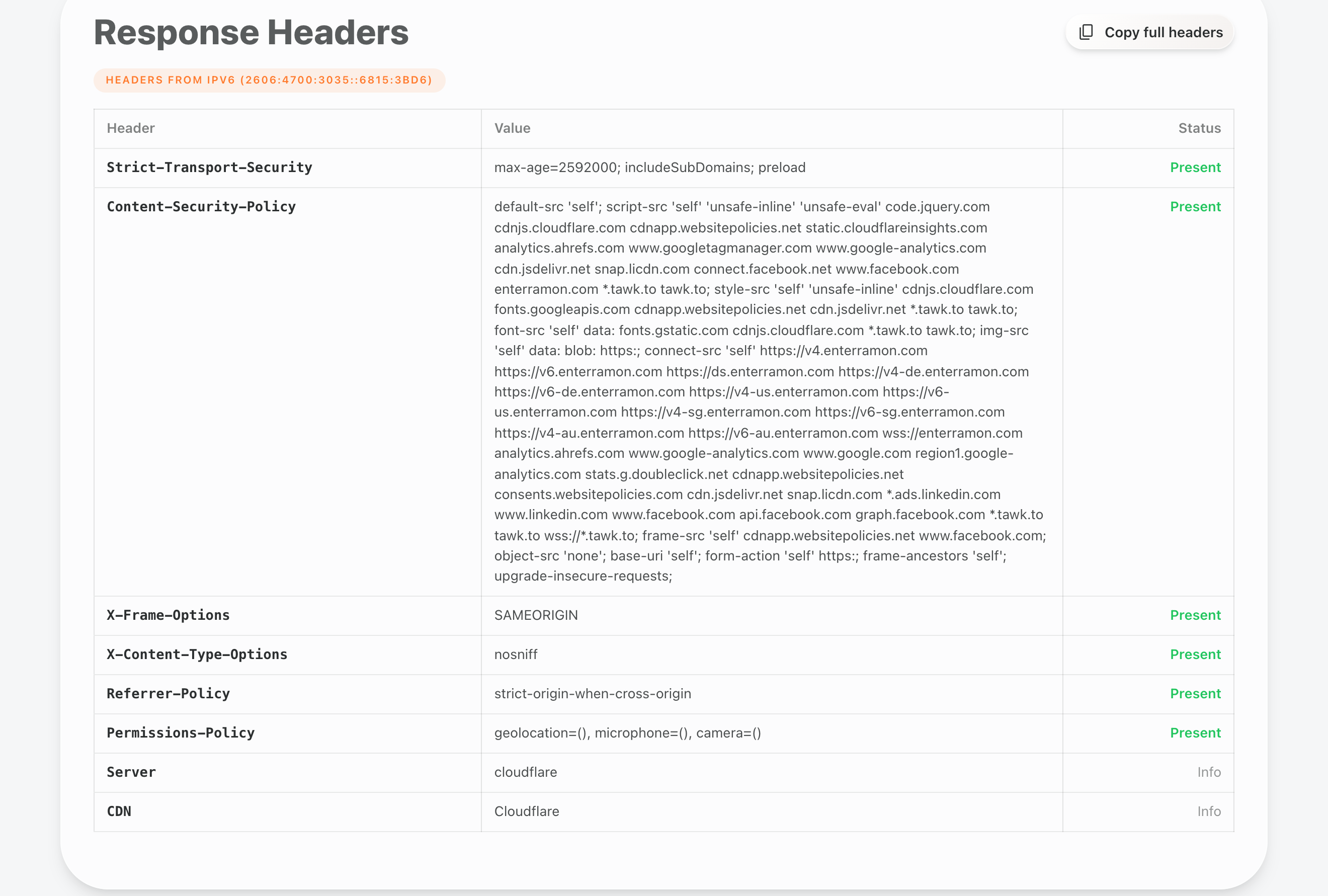
If you prefer the terminal, curl -I https://yourdomain.com shows every response header the server sends, and the content-security-policy line is the one to look for. Both routes check the same thing, the difference is only how you like to look at it.
If you want to see what a real report looks like before and after the change, run a free test at enterramon.com and compare the security score. Sites that carry a working policy also tend to show up cleanly on the other header checks, because the same config work usually fixes several flags at once. And if you want to know how rare a working policy still is, the global analytics page tracks the share of tested sites sending one, live from our own test data.
